
Connecting Cdiscount with Qapla’
To connect Cdiscount (Octopia) with Qapla’, you need to follow the steps described below.
1. Request for Enablement and Delegation on Cdiscount
Log in to your Cdiscount Octopia account.
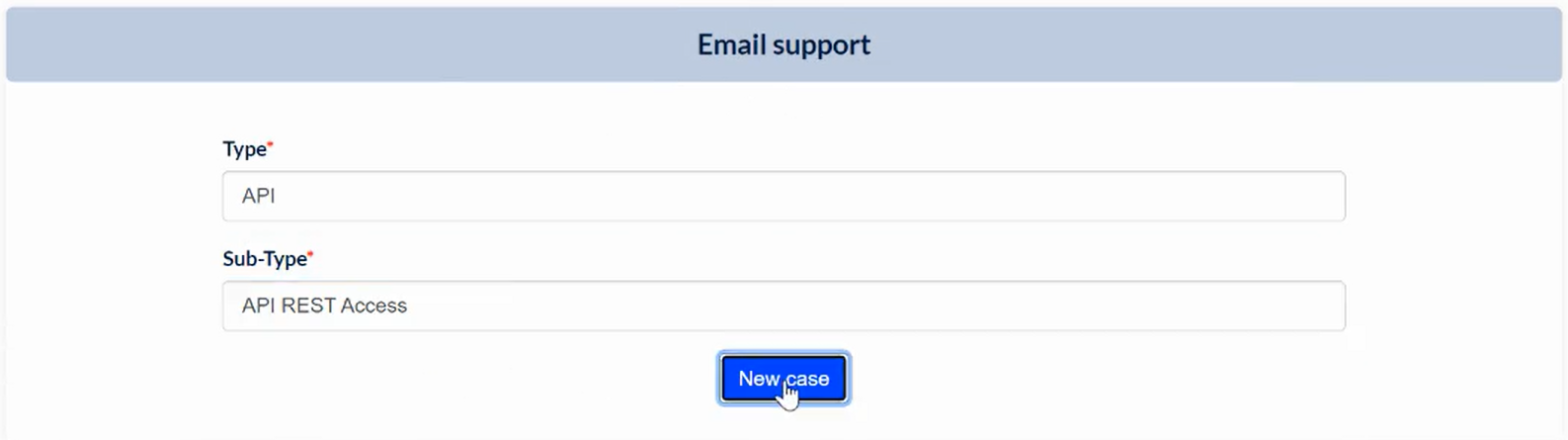
Go to Help Center > Join the support center, and click «Email Support».
From there, you can create an API ticket by selecting Type: API and Sub-Type: API REST Access, then click «New Case».
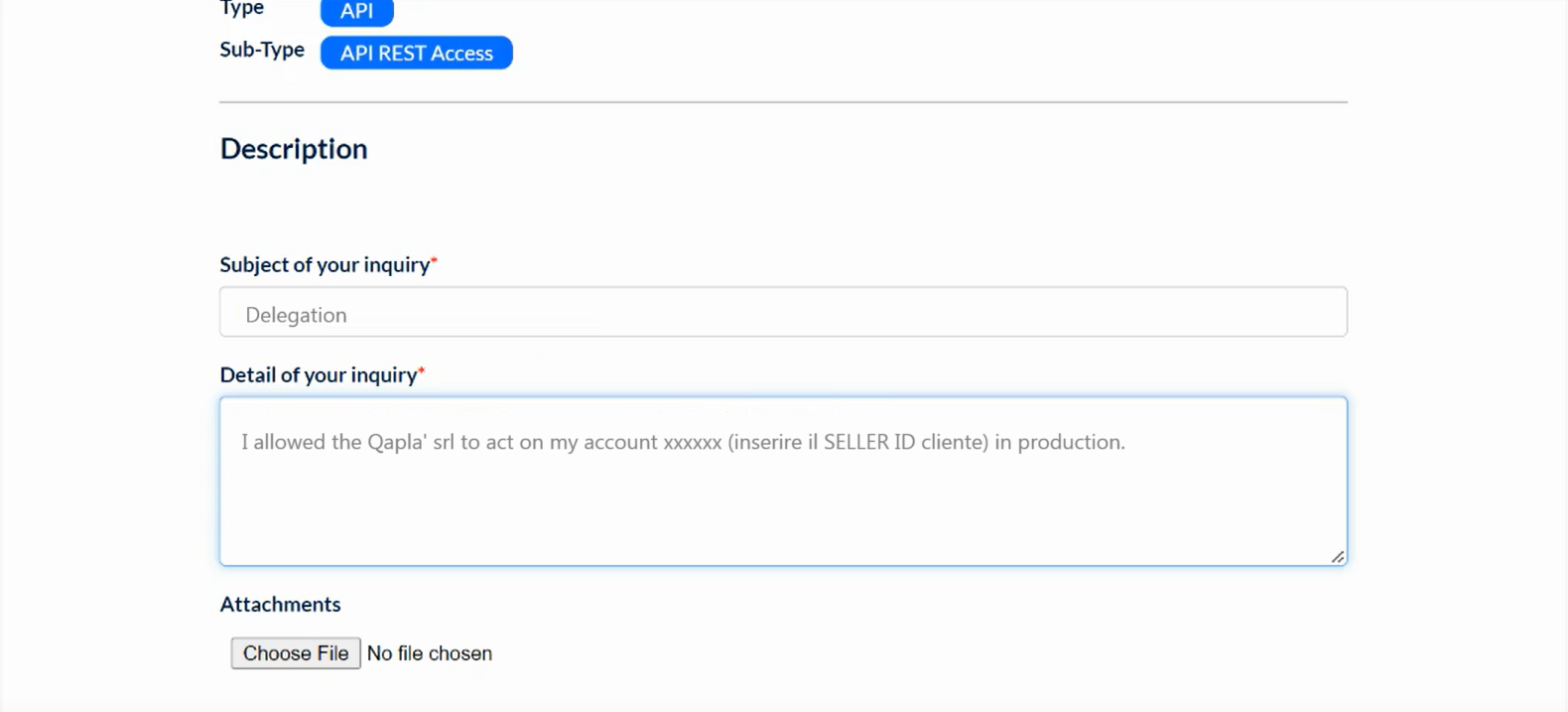
Submit the delegation request as follows:
Subject of your inquiry: Delegation
Detail of your inquiry: I allowed the Qapla’ srl to act on my account xxxxxx (inserire il SELLER ID cliente) in production.
Click «Save».
The ticket response from Cdiscount will confirm the enablement and delegation.
2. Marketplace Selection
Once you receive the response, complete the connection in Qapla’.
Log in to your Qapla’ account, and go to Settings > Channels > Channel Name > Marketplace.
Select Cdiscount, and click «Select» at the bottom.
3. Configuration and Activation
Go to the marketplace configuration to enter the Seller ID.
In the same section, you can activate automatic import and updates.
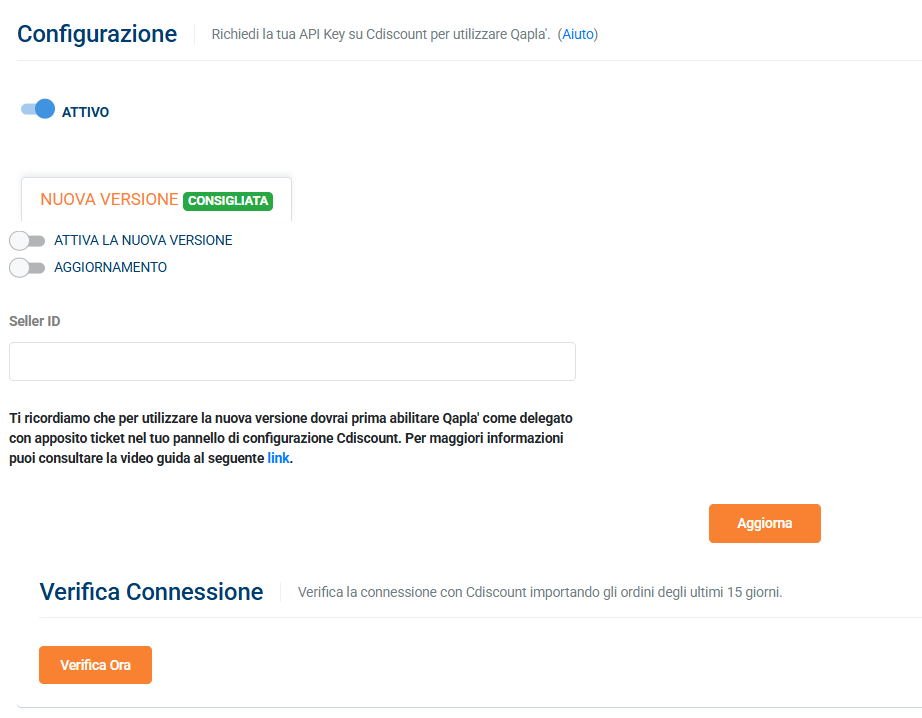 To finish the activation and save all data and settings, click «Update».
It is also advisable to verify the connection using the available tool.
Need help?If you need assistance, contact Qapla’s Customer Care at support@qapla.it