
Ticket
The Ticket feature in Qapla’ allows end customers to request support directly from the tracking page or transactional emails.
From your Qapla’ panel, you can receive, view, and reply to these requests, thus establishing two-way communication with your customers.
To use this feature, you must configure a mail server.
How it works
End customer
From the tracking page, by clicking the “Ticket” button, or from transactional emails using the following metavariables, the end customer can request support:
- [TICKET_LINK]
- [TICKET_URL]
Here is the guide to all available metavariables: Qapla’ Metavariables.
Merchant
You can monitor and view Tickets in two sections:
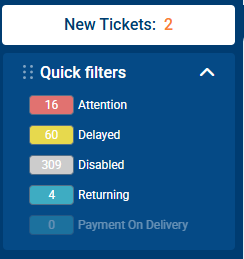
- From the quick filter (top left of the Qapla’ panel): if new Tickets are available, a button will appear showing the list of shipments that include a message from the end customer.
- Inside the individual shipment, in the Ticket section, you can read and reply directly.
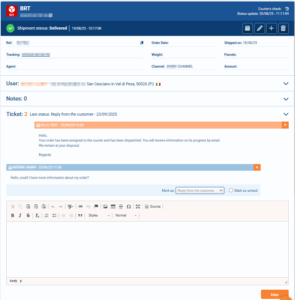
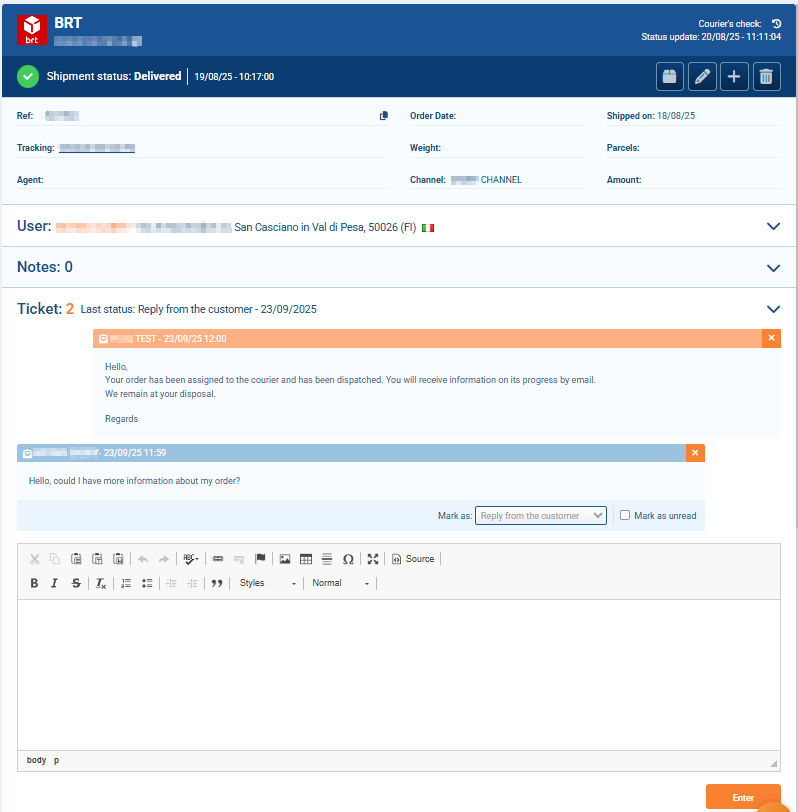
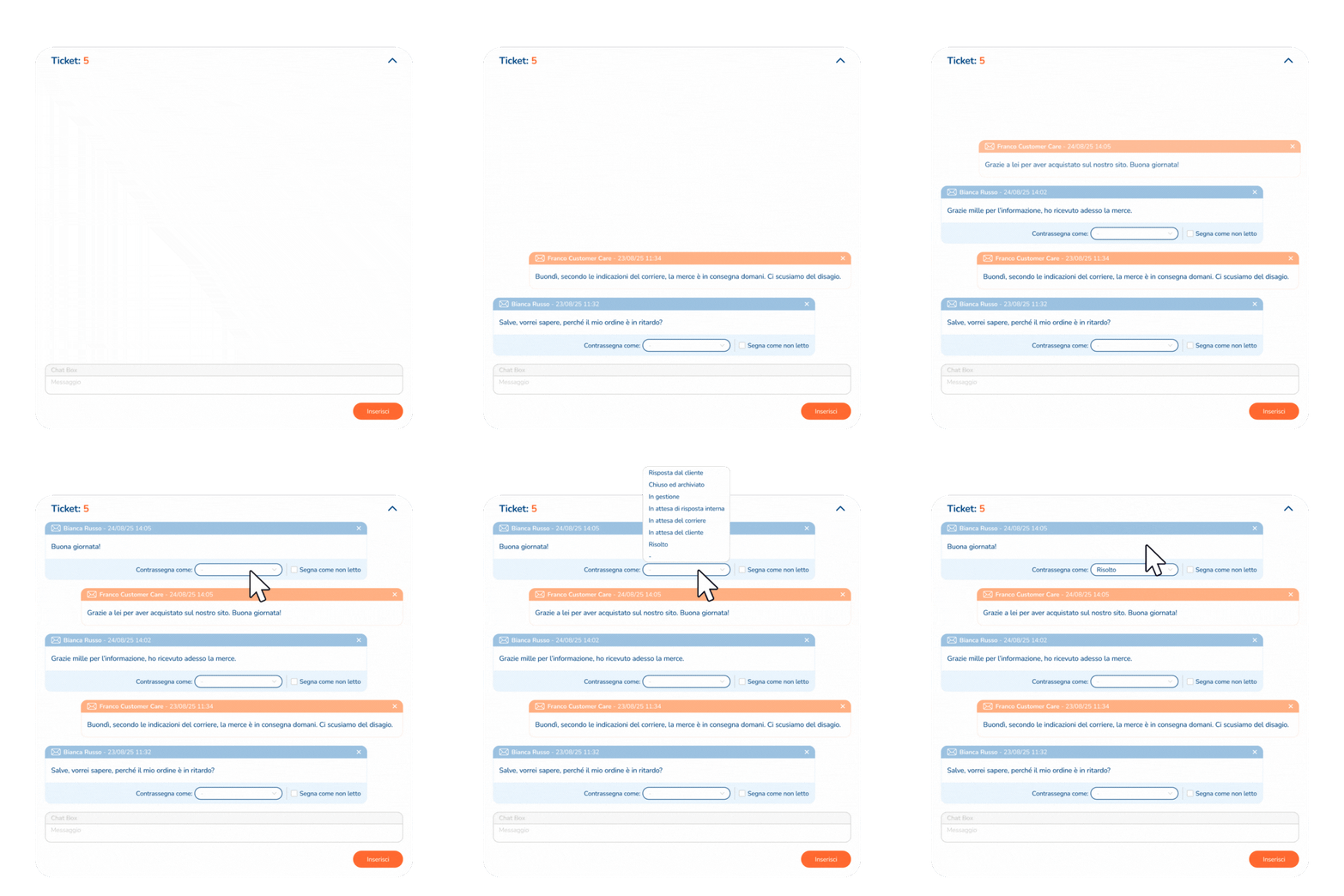
Qapla’ keeps a record of the conversation with the customer, provided that the exchange occurs exclusively through the Ticket feature (both for the customer and the merchant).
Ticket Configuration
To enable the Ticket service:
- Enable the option “I would like to enable the Tickets and allow the customers to send me requests for intervention.”
- Configure the following parameters:
- Sending from: the email address and name that will appear as the sender of the Tickets to users.
- Sending To: the email address where user Ticket emails will be delivered.
- Notification message: the text automatically sent to the end customer when you open a ticket from the “Tracking” section of a shipment.
- Courtesy message: the text automatically sent the first time the customer uses the Ticket system to contact you.
- Message management: option to create predefined messages using metavariables, so you can quickly reply to customers. Click on “New message” to add a new preset message.
- Supported languages:
- Italian
- English
- French
- German
- Spanish
- Portuguese
- Chinese
- Russian
- Japanese
- Czech
- Romanian
- Hungarian
- Arabic
- Slovak
- Polish
- Korean
- Dutch
Need help?If you need assistance, contact Qapla’s Customer Care at support@qapla.it