
Connect Amazon with Qapla’
To connect Amazon with Qapla’, please follow the steps below.
1.Select Marketplace
in to your Qapla’ account and go to Settings > Channels > [Channel Name] > Marketplace.
Choose Amazon, then click «Select»at the bottom.
2. Authorization on Amazon
Next, access the marketplace configuration section, then, click «Request authorization from Amazon»to allow the connection between the marketplace and Qapla’.

You will need to log in with your Amazon credentials, and a page will open where you must select:
«I request Amazon to provide Couriers Connector access to my selling partner account and related data…».
After that, click «Confirm» to complete the process.

Once the authorization is complete, it is recommended to return to the Qapla’ panel and click «Update» to save all data and settings.
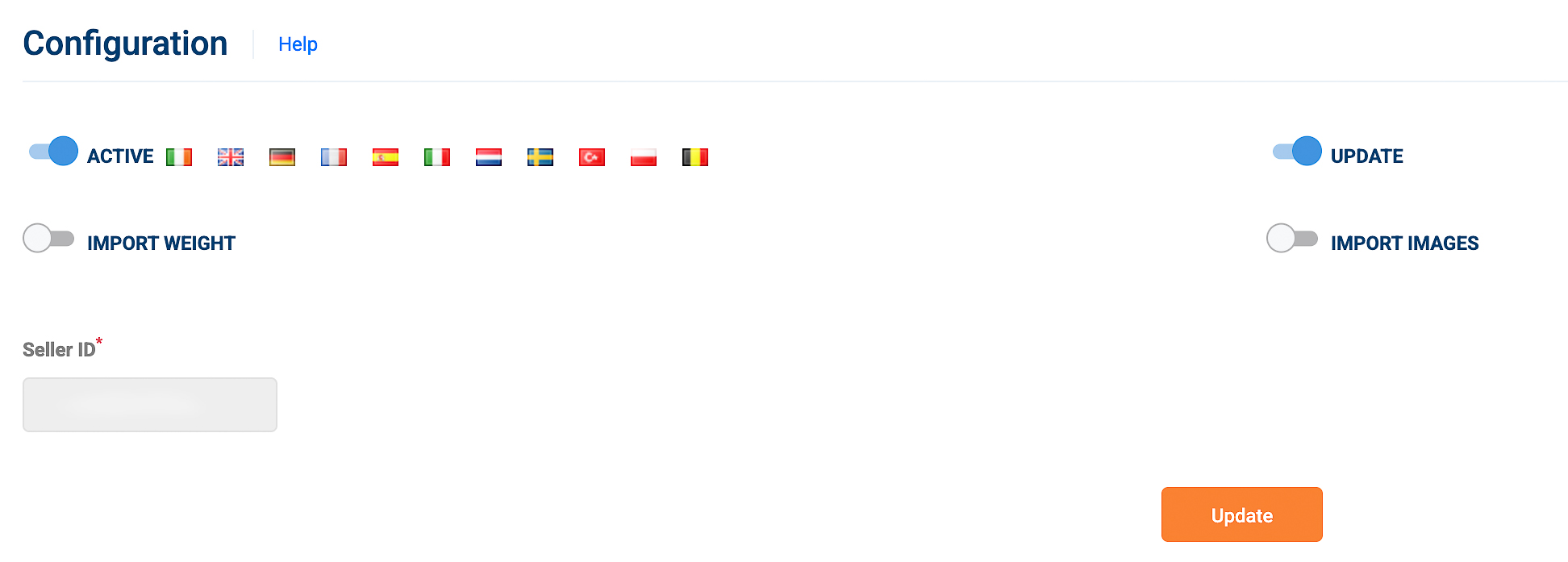
2. Enter your Seller ID on Qapla’ and activate the integration
Then, the Seller ID should appear already filled in.
In the same section, you can enable order import and automatic updates.
You can also choose to import order weights and product images from the marketplace.
Once you have enabled the desired options, click «Select».
After completing all the steps, the connection may take around 10 minutes to be fully established.
It is also advisable to verify the connection through a manual import in Labels > Create > Manual import.
Note: You must have an Amazon Seller Professional account to correctly connect Amazon with Qapla’.
The countries supported by this integration are: BE, DE, ES, FR, GB, IE, IT, NL, PL, SE, TR.
Connection issues?
If you received an error message related to the Amazon connection or are experiencing problems with order import or updates, follow these steps:
- Go to Settings > Channels > [Channel Name] > Marketplace > Amazon.
- Uncheck the «Activate» button and click «Update.»
- Refresh the page and go back to the marketplace configuration section.
- Repeat the connection and authorization process as described above.
- Once the procedure is completed, wait a few minutes for the connection to be established. Then, perform a manual import or update test.
AMAZON PRIME Program
Qapla’ also supports the Amazon carrier dedicated to managing Prime orders.
Access the dedicated guide with all details [HERE].